Showing posts sorted by relevance for query hard drive. Sort by date Show all posts

hack an air-gap computer using the sounds made by a hard drive actuator.


A small team of researchers at Ben-Gurion University in Israel has found a way to hack an air-gap computer using the sounds made by a hard drive actuator. They describe the technique and possible ways it might be used in a paper they have uploaded to the preprint server arXiv.
One way to keep hackers from stealing data from your computer is to unplug it from the Internet and to disable its WiFi, Bluetooth and speakers—creating an air gap between it and all other computer devices—at least according to conventional thinking. But now the team in Israel has shown even that may not be enough because they have found a way that hackers can read information off your computer then broadcast it using the noises your computer hard drive makes as it reads and writes information.
The idea works like this; a hacker somehow manages to install a small bit of malware onto your supposedly secure computer—that code reads data from the computer, i.e. the hard drive, keystrokes as a user types in a password or information it finds in memory, etc., and then uses a special algorithm to convert that message into a sound signal by manipulating the actuator used by the to move the head to different parts of the drive below it. That sound signal can then be picked up by any smart electronic device, such as a phone, and decoded revealing the data sent from the computer. The researchers offer proof in the form of a video they have uploaded to YouTube.
The method does have its limitations, of course, the sound produced by an actuator is pretty soft, so much so that a reader would have to be no more than six feet away and it has an extremely slow transmission rate—approximately 180 bits per minute (it would take approximately 25 minutes to transmit a 4,096-bit encryption key, for example) which would make it impractical for larger files. Still the researchers suggest there are some applications where their technique would be useful—in the world of spies and government covert operations, it is assumed.

Seagate revives Barracuda name, launches multiple 10TB hard drives for consumer, professional product lines


Solid state drives (SSDs) may grab most of the headlines these days, but demand for cloud-enabled products and system storage continues to rise, and hard drives are still an order of magnitude cheaper than even the cheapest SSDs. Seagate is pushing the boundaries on magnetic spinning media with a new suite of 10TB hard drives — and it’s relaunching a familiar brand name in the consumer space while introducing new brands for its NAS and remote surveillance products. Collectively, these 10TB drives are known as the Guardian Series.

Barracuda’s back in town

For over a decade, Seagate’s high-end consumer drives were branded as Barracuda’s. In 2013 the company unofficially retired the name, choosing instead to refer to its desktop drives as “Desktop HDD.” While the company wins points for simplicity, “Desktop HDD” isn’t the kind of branding that gets anyone excited about anything. Seagate is relaunching the Barracuda — or BarraCuda if you prefer Seagate’s new spelling — brand name around its 10TB consumer drives.
BarraCuda drives will be available in two flavors — BarraCuda and BarraCuda Pro. The BarraCuda base drives are available in a variety of capacities and both the 2.5-inch and 3.5-inch form factors, while BarraCuda Pro drives are 3.5-inch products available in up to 10TB. Seagate is also rebranding its solid state hybrid hard drives (SSHD) as FireCuda.


The difference between the BarraCuda and BarraCuda Pro is their workload rate limits (yearly), warranty period, and sustained transfer rates. The BarraCuda drives can transfer up to 210MB/s, have a 55TB/year workload limit, and a two-year warranty. BarraCuda Pro drives, in contrast, offer a 220MB/s sustained transfer rate, 300TB/year write limit (in 24×7 operation) and five-year warranty.
Be advised that “Sustained transfer rate” is a suspect phrase at best. A typical 7200 RPM HDD’s sustained transfer rate will depend on where data is stored on the drive. Data stored at the outer edge will transfer more quickly than the innermost tracks, which is why short-stroking hard drives to isolate and only use the outer tracks used to be a thing.
Seagate’s literature makes reference to intelligent cache management software as improving overall BarraCuda performance, but its conventional BarraCuda / BarraCuda Pro drives don’t include any NAND flash and their DRAM caches (now up to 256MB on the 10TB drives) have been bumped up to keep pace with rising storage capacities.
(Fun fact: The first large-cache hard drives was the Western Digital WD800JB. It was an 80GB HDD with an 8MB cache and noticeably better performance than its 2MB-equipped

counterpart. Hard drive manufacturers have obviously developed more efficient cache mechanisms; the BarraCuda Pro is 125x the WD800JB’s capacity but has just 32x the cache RAM).
These new 10TB drives don’t appear to use helium, but they aren’t based on Shingled Magnetic Recording, either. These drives use conventional perpendicular recording, which means they won’t take a performance hit when writing data.
Seagate is also launching new brand names and product families for its other divisions. Surveillance drives for remote cameras are now sold under the Skyhawk brand, while its 10TB network attached storage (NAS) drives will be branded as Ironwolf. The Ironwolf drives contain additional vibration dampening technology, including remote vibration sensors, dual-plane balancing, and built-in error recovery control.

Dampening vibration is a serious consideration for NAS (Network attached storage) devices or servers. As the video above shows, yelling into a server can kill hard drive performance.

Massive capacity, massive layoffs

These new product launches are a significant achievement — 10TB consumer drives are a significant step above what’s already on the market and Seagate is confident enough in its product portfolio to roll them out across all of its products at the same time. These new launches come as the company is prepping for significant rounds of layoffs and a reduction in its overall drive manufacturing.
Seagate has announced two rounds of layoffs in the last six weeks and plans to fire roughly 8,100 people over the next 12 months, or 14% of its current global workforce. The company also plans to build fewer hard drives per quarter, from current targets of 55-60 million down to 35-40 million drives.
HDD manufacturers have been hit hard by two trends in the PC market. Like the rest of the PC industry, they face shrinking unit shipments as consumer and business PC sales drop and long-hoped for refresh cycles fail to materialize. They’re also under pressure from SSDs. While most PCs still favor hard drives over solid state storage, SSDs have carved out a healthy chunk of business that used to belong to the hard drive manufacturers. Conventional spinning drives are going nowhere anytime soon, but stiff competition from solid state storage is going to make life as a magnetic medium manufacturer increasingly difficult.


No reason to not upgrade to windows 10


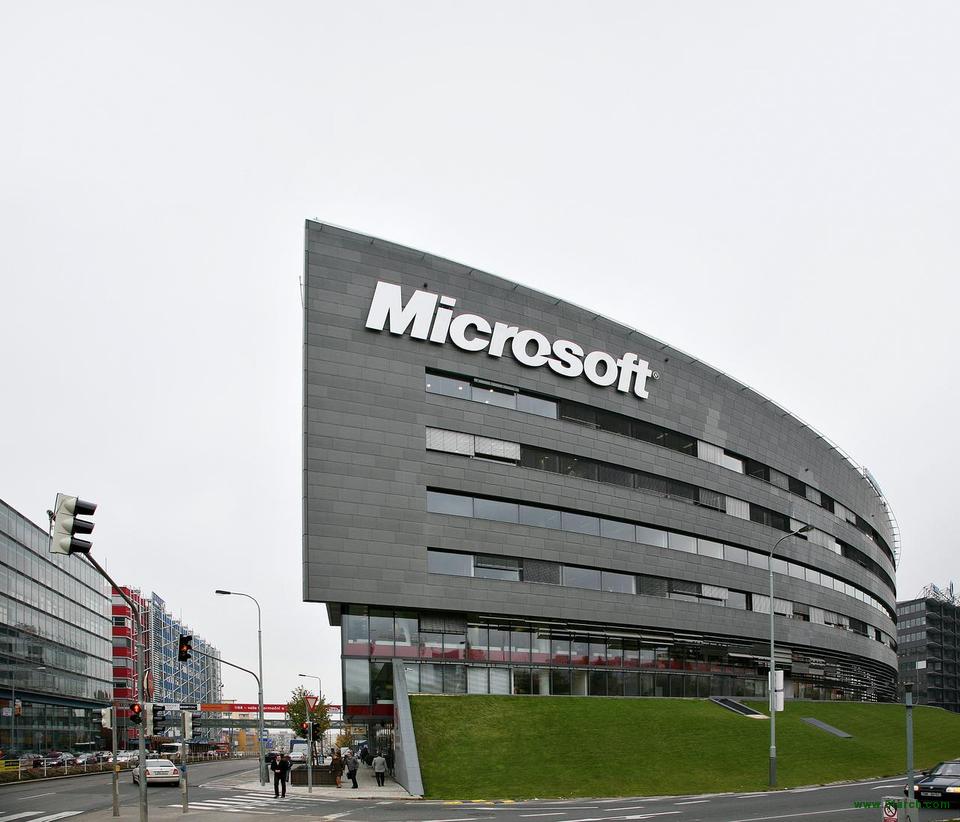
Microsoft has decided to meet their quota as they wanted. They are hence eliminating anything that will make it impossible to that upgrading to windows 10  an issue.

There’s less than two weeks before Microsoft’s free upgrade offer for Windows 10 expires and the company is pulling out all the stops to encourage people to update. The company’s latest offer is that they’ll give you a free Inspiron 15 laptop from Dell if they can’t update your laptop to Windows 10 with same-day service.
As you might imagine, there are some caveats to the offer. First of all, your PC needs to be compatible with Windows 10 in the first place. If you don’t have a compatible system, you can earn $150 to the purchase of a new PC. PCs must be turned over to the company by noon on the day the service is to be performed, and apparently not all retail outlets are participating, so check with your local Windows Store beforehand.

Those of you thinking of walking in with an ancient Compaq Presario and claiming $150 to the purchase of a new Dell should be advised that there are additional caveats attached to this as well. Microsoft’s fine print reads:
To be eligible for trade-in, you must own the qualifying device, device must power on, battery must hold charge and not be required to be plugged in to operate, and be in fully functional, wor king condition without broken/missing components, cracked display/housing, liquid damage, modification(s) or have device warranty seal broken to be considered working. Cannot be password protected, and include original chargers/accessories. Must contain hard drive. Devices must be running Windows 8 or newer. (Emphasis added).

This last requirement is going to ensure that the majority of customers can’t qualify for upgrades on older systems. The only Windows 8 laptops that wouldn’t qualify for Windows 10 would be some old Athlon 64 and Athlon 64 X2 designs that didn’t implement the CMPXCHG16B instruction, which performed an atomic compare-and-exchange between 16-byte values; systems that lack this instruction would have failed a Windows 8.1 upgrade with a “You can’t install Windows 8.1 because your processor doesn’t support CompareExchange128” message. AMD’s share of the notebook market at this time was extremely small, however, which means very few systems of this era were built. Similarly, some older Intel Core 2 Duo motherboards didn’t support CMPXCHG16B, either (the CPUs of the era supported it, the motherboards didn’t). Again, these systems would predate Windows 8 itself by several years.
Finally, Microsoft will give you a $20 discount on Office 365, which doesn’t make Office 365 any less of a terrible deal compared to buying a copy of Office in the vast majority of circumstances. And apparently there’s an opportunity at some stores to win an Xbox One, though you have to inquire about the details at the store, in-person.
It’s not clear if Microsoft’s offer applies only to laptops, or if desktops are also eligible. The text of the offer refers only to “PCs,” but the fine print notes that the battery must hold a charge and the system can’t require a wall plug to operate. This would seem to imply that the offer is mobile-only. If you decide to take Microsoft up on the option, let us know how it goes in the comments below.

personally,i use windows 10, and don't see any thing wrong with it. and who won't want to stream at 1000+


Windows 10 upgrade almost finished countng down, upgrade now while you can!


As of this writing, Windows 10’s free upgrade period ends in just a few hours — and with that time ticking away, I’d formally recommend taking advantage of it with the above link. That might seem surprising, given our own coverage of Windows 10’s privacy issues, its telemetry gathering, and the fact that many people — including our Editor-In-Chief, Jamie Lendino — upgraded to the software and then found himself wondering why he bothered.
I upgraded my own system last Sunday and have been largely satisfied with the end result after a rough start — the update refused to install until I manually started and stopped the Windows Update service twice, and I had to manually start Explorer when I first booted the system (apparently some Adobe Reader conflict actually caused the boot process to pause before loading the desktop). Past that, things have been fine.
It’s true, Microsoft continues to push changes in the Windows Anniversary Update that lock down systems and limit control. It’s true that they’re making further changes to make Windows 10 less palatable. It’s true that some people — those who like Media Center, for example, or who have drivers and hardware that isn’t Windows 10-compatible — shouldn’t actually upgrade. But most people should at least register their Windows license as being upgraded, either by installing the OS to a different hard drive (and continuing to use your existing OS installation) or even by installing it to a virtual machine. You don’t have to start using Windows 10 today. You can just grab the license upgrade and then install it when and if you choose.


If you’re not a gamer, you can sit on Windows 7 until 2020 or Windows 8.1 until 2023. Nothing wrong with either option — but you’ll miss the chance to get a free license for Windows that you don’t even have to use right now. If you are a gamer, DirectX 12 is going to be more and more important in years to come, and Vulkan is extremely unlikely to make much of a dent by comparison. The vast majority of Windows development takes place in DirectX, which means programmers are already used to it. There will be some Vulkan development, since developers who favor cross-platform play will want to support it, but Apple’s decision not to back the standard probably hurt its long-term chances of adoption. Apple wants devs to use Metal, not Vulkan or OpenGL, which means the best case scenario for Vulkan adoption is Vulkan under Linux, Metal for macOS and DirectX 12 for Windows. Put simply, I wouldn’t hold my breath for a strong Vulkan presence.
You might download Windows 10 and never use it. You might decide that your current software does what you want and eight years from now, you won’t feel any differently. At that point, you’ll have the option to upgrade to whatever OS Microsoft is pushing (supposedly it’ll still be Windows 10, in reality I suspect the company’s marketing division won’t be willing to give up on the power of larger numbers). It may or may not come with a free upgrade for Windows 7 or 8 users. Historically, Microsoft has a mixed record on supporting updates from older operating systems.
You probably already know if Windows 10 is a bridge too far for you or not. If it is — if it really, truly is — then you still might as well grab your free license anyway, just in case you ever need it for compatibility reasons. Then grab yourself a copy of Ubuntu, Mint, or macOS and use those instead.

There are reasons not to use Windows 10 depending on your objective situation and/or how you feel about Microsoft’s recent practices, but there aren’t many reasons not to take the free copy Microsoft is handing out. I may not love Windows, but I recognize its utility, and having a legal copy of the OS hanging around is never going to be a bad thing.


Scientists looking for invisible dark matter can't find any


For three years, scientists have been looking for dark matter—which though invisible, makes up more than four-fifths of the universe's matter—nearly a mile underground in a former gold mine in Lead, South Dakota. But on Thursday they announced at a conference in England that they didn't find what they were searching for, despite sensitive equipment that exceeded technological goals in a project that cost $10 million to build.
We're sort of proud that it worked so well and also disappointed that we didn't see anything," said University of California, Berkeley physicist Daniel McKinsey, one of two scientific spokesmen for the mostly government-funded project.
The mine project, called Large Underground Xenon experiment or LUX, was one of three places looking for dark matter. Another is on the International Space Station and a third is an effort to create dark matter at the Large Hadron Collider, run by the European consortium that found the Higgs Boson particle.
At the South Dakota site, more than 4,800 feet of earth helped screen out background radiation. Scientists used a large vat of liquid xenon that they hoped would produce a flash of light when weakly interacting massive particles, or WIMPS, bounced off the super-cooled liquid.
Not finding WIMPS may drive physicists to think about new candidates for dark matter, even though WIMPS are still the most viable option, said Neal Weiner, director of the Center for Cosmology and Particle Physics at New York University, who was not part of the research.
Scientists are already starting to revamp the South Dakota mine site for a $50 million larger, higher-tech version of LUX, called LZ, that will be 70 times more sensitive and should start operations in 2020, said Brown University's Richard Gaitskell, another scientific spokesman for LUX.
Even that won't be easy. Dark matter is everywhere. Hundreds of millions of dark matter particles pass through Earth every second, Gaitskell said. But the problem is they are "just crazy weak" and they zip through Earth as if it barely exists, he said.
Gaitskell has spent 28 years hunting these particles.
"Over 80 percent of our matter is in this dark matter form. You and I are the flotsam and jetsam; dark matter is the sea," Gaitskell said. "That's why one doesn't give up. We've got to figure out what this dark matter component is."
When pressed, Gaitskell acknowledged the possibility, however slight and unlikely, that scientists are looking for something that isn't there.
"It's certainly there. We know dark matter exists" because of the way it helps form galaxies and makes light bend around galaxy clusters, McKinsey said.
Weiner said, "It's hard to know when we will find dark matter because we don't know precisely what it is. Of course, that's what makes the search for it such a big deal."


Translate

Ads